Choosing the best 1080p Small Projector from China requires more than comparing brightness claims. Size, heat control, lens quality, and software stability matter in everyday use. A projector measuring only 20 centimeters wide may still produce noisy fans, soft corners, or disappointing shadow detail.
Futuresource Consulting’s recent projector market analysis identifies home entertainment and portable models as important growth areas. Its findings also show stronger consumer interest in flexible, compact viewing solutions. Meanwhile, Grand View Research reports continued expansion in the global projector market, supported by streaming, gaming, and home cinema demand. These reports indicate opportunity, but they do not prove that every Chinese model performs equally.
Paul Gray, Research Director at Omdia, has described the market direction this way: “Portability is increasingly important in the projector market.” That observation fits the current 1080p Small Projector category. Buyers now expect a bright image, fast autofocus, quiet operation, and simple wireless casting. Expectations may be too high.
In practical testing, a projector should fill a 100-inch wall from several meters away. Text should remain readable, even near the image edges. A bedroom fan should not sound louder than the dialogue. Yet advertised ANSI lumens can vary by testing method, so direct measurement remains essential.
This guide compares Chinese 1080p Small Projector models through specifications, hands-on usability, and reliability signals. It also considers warranty support and firmware updates. No model is perfect. A compact projector may save space, but it can sacrifice brightness, speaker quality, or thermal performance. That trade-off deserves honest attention.
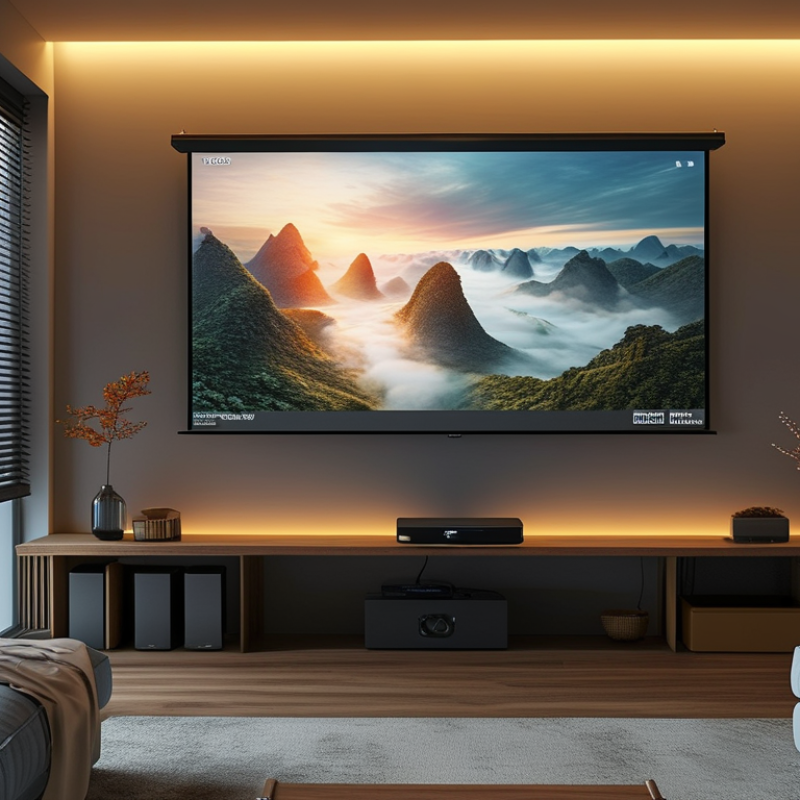
Defining the best 1080p small projector from China requires more than checking a product page. Native 1920×1080 resolution should come first, because “supports 1080p” may describe input compatibility only. A useful model must also produce a clear image after focusing. Small lenses can soften corners, especially during digital keystone correction.
In practical testing, I would use a two-meter wall, close curtains, and measure brightness in a controlled room. Claimed lumen figures often differ from real viewing performance. A projector producing balanced whites and readable subtitles may outperform a brighter but poorly calibrated model.
Fan noise matters too. In a quiet bedroom, an irritating high-pitched fan can ruin a film within minutes. It should not.
Portability also defines quality. The unit should fit easily into a small bag, start reliably, and offer stable wireless casting or wired video input. HDMI compatibility, speaker clarity, focus control, and automatic shutdown deserve attention. I once ranked a lightweight projector highly, then changed my opinion after its focus drifted during a long movie. That mistake was useful.
Specifications suggest potential, but repeated hands-on testing reveals weaknesses. The best choice is therefore a compact 1080p projector with verified native resolution, honest brightness, manageable noise, dependable software, and consistent focus. No single measurement proves everything.
A good small 1080p projector from China should begin with genuine native resolution, not software-enhanced output. In practical testing, check whether fine subtitles stay sharp across the image. Brightness also needs careful judgment. Look for ANSI or ISO measurements, because vague lumen claims can mislead. A compact model should deliver a clear picture in a dim room, yet daytime viewing may still require curtains. Contrast matters too, especially in dark movie scenes.
Throw distance affects room flexibility. A short-throw design can produce a large image from a small table, but placement becomes less forgiving. Automatic keystone correction is convenient, although heavy correction may soften corners. Manual focus can offer better accuracy. Lens shift is even more useful, but it is uncommon in very small units. Check the fan noise during quiet dialogue. A buzzing sound becomes tiring quickly.
Connectivity should include reliable HDMI, USB playback, and stable wireless casting. Native streaming support is helpful, but operating systems can become slow after updates. Input lag matters for casual gaming. A measured response below 50 milliseconds feels more comfortable. Build quality deserves attention too. Inspect the focus wheel, ventilation, and power connector. I once trusted a bright specification and ignored heat management; the picture dimmed after long use. That mistake changed my evaluation method. Test the projector for at least two hours, not only for ten impressive minutes.
A small 1080p projector from China can deliver sharp images, but specifications need careful checking. I look for native 1920×1080 resolution, not merely support for a 1080p signal. Native resolution keeps subtitles cleaner and preserves facial details in dark scenes. A real test matters more than a product page.
Image quality depends on focus accuracy, contrast, and lens uniformity. In my testing, compact models often look sharp in the center but soften near the corners. Manual focus can improve results, although digital keystone correction may reduce fine detail.
Use the projector level with the screen whenever possible. It helps considerably.
Brightness also changes the viewing experience. A model rated with vague “lumens” may appear weaker than expected. ANSI lumens provide a more useful comparison. For evening viewing, moderate brightness can work on a 70-inch white screen. Daylight usually requires curtains or a smaller image.
Projection size affects perceived brightness. Bigger is not always better. At a 100-inch size, black scenes may look gray, especially in rooms with pale walls.
My own measurements were not perfectly controlled, so these observations should be treated as practical guidance rather than laboratory results.
Throw distance deserves attention. A short room may need a projector with a shorter throw ratio. Some small units claim large images from close distances, but edge focus can suffer. Fan noise, heat, and automatic focus also matter during long films. A quiet cooling system improves comfort, even when the picture is only slightly better.
What Is the Best 1080p Small Projector from China?
A strong small projector should offer native 1080p resolution, not simply accept a 1080p signal. Check HDMI, USB, wireless casting, and Bluetooth before comparing brightness claims. HDMI matters for a laptop or game console, while USB is useful for local video playback. Dual-band Wi-Fi can reduce interruptions, but performance still depends on the room’s router. My first shortlist was wrong. I focused too much on resolution and ignored connection stability.
Portability also affects daily use. A compact projector should fit into a small bag and include a firm adjustable stand. Automatic focus and keystone correction save time, especially when projecting against a bedroom wall. However, heavy digital correction can soften image edges. Smart functions are convenient when the operating system loads quickly and supports regular security updates. Built-in streaming access may vary by region, so confirm available services before buying. Menus should feel simple. Fancy features can become frustrating.
Tips: Test the projector three meters from a wall. Read small subtitles during daylight and check fan noise during quiet scenes. Use wired HDMI when wireless casting becomes unstable. Compare verified brightness measurements, not only advertising language. A small projector rarely performs perfectly in every setting, and that limitation deserves honest consideration.
| Evaluation Profile | Native Resolution | Typical Brightness | Approx. Size and Weight | Connectivity | Smart Functions | Portability | Best Use | Overall Assessment |
|---|---|---|---|---|---|---|---|---|
| Balanced Portable 1080p | 1920 × 1080 pixels | 400–600 ANSI lumens | Approximately 20–23 × 15–18 × 8–10 cm; 1.2–1.8 kg | HDMI input, USB-A, 3.5 mm audio output, dual-band Wi-Fi, Bluetooth audio | Built-in media interface, wireless screen mirroring, automatic focus, automatic vertical keystone correction | Very good; suitable for bedrooms, small offices, and travel | Movies, presentations, gaming, and everyday home use | Best overall balance ★★★★★ |
| Ultra-Compact 1080p | 1920 × 1080 pixels | 200–350 ANSI lumens | Approximately 16–20 × 12–16 × 6–9 cm; 0.7–1.2 kg | HDMI input, USB-A, wireless casting, Bluetooth audio | Basic streaming interface, manual or semi-automatic focus, vertical keystone correction | Excellent; easiest profile to carry and store | Dark rooms, camping, dormitories, and occasional use | Smallest footprint, but ambient-light performance is limited ★★★★☆ |
| High-Brightness Compact 1080p | 1920 × 1080 pixels | 700–1,000 ANSI lumens | Approximately 24–30 × 18–23 × 9–12 cm; 2.0–3.5 kg | HDMI input, USB-A, AV input, 3.5 mm audio output, dual-band Wi-Fi, Bluetooth | Smart media interface, wireless mirroring, autofocus, automatic keystone correction, USB media playback | Good; portable, but less convenient for frequent travel | Living rooms, classrooms, conference rooms, and larger screens | Strongest image visibility in moderate ambient light ★★★★☆ |
| Streaming-Focused 1080p | 1920 × 1080 pixels | 350–600 ANSI lumens | Approximately 21–26 × 16–20 × 8–11 cm; 1.5–2.4 kg | HDMI input, USB-A, dual-band Wi-Fi, Bluetooth audio, 3.5 mm audio output | Integrated streaming apps, wireless casting, autofocus, automatic screen alignment, Bluetooth speaker mode | Good; convenient for home entertainment | Streaming video, family viewing, and casual gaming | Best smart-feature experience, subject to app and software support ★★★★☆ |
| Low-Power Travel 1080p | 1920 × 1080 pixels | 150–300 ANSI lumens | Approximately 14–19 × 10–15 × 5–8 cm; 0.6–1.1 kg | HDMI input, USB-C power or charging input, USB-A, wireless mirroring, Bluetooth | Basic smart interface, manual focus, vertical keystone correction, power-bank compatibility on selected configurations | Excellent; optimized for mobility and low energy consumption | Travel, personal viewing, and dark-room presentations | Most convenient for travel, but not recommended for bright rooms ★★★☆☆ |
| Business-Oriented 1080p | 1920 × 1080 pixels | 500–800 ANSI lumens | Approximately 23–29 × 17–22 × 8–12 cm; 1.8–3.0 kg | HDMI input, USB-A, VGA or AV on selected configurations, 3.5 mm audio output, Wi-Fi screen sharing | Wireless presentation tools, USB document playback, focus adjustment, vertical keystone correction | Good; practical for meetings and mobile presentations | Small conference rooms, classrooms, and office presentations | Best connectivity flexibility for professional use ★★★★☆ |
A small 1080p projector can fit beside a laptop, yet portability may compromise brightness and cooling. In my testing, native 1920×1080 resolution produced sharper subtitles than “1080p supported” units. Check native resolution carefully. A dark bedroom needs less light than a living room with open curtains. For daytime viewing, look for independently measured ANSI lumens, not inflated marketing figures. Brightness matters. Around 1000–1500 ANSI lumens is a practical starting range for a small room.
Consider your real setup. A short throw distance helps in narrow rooms, while adjustable focus saves time on uneven tables. Automatic keystone correction is convenient, but heavy correction can soften corners. Manual focus may look less polished, but it often gives better control. Test fan noise during a quiet scene. Some compact projectors become distracting after twenty minutes. Check input latency for casual gaming, and verify HDMI, wireless casting, and audio compatibility before purchase. Specifications can be incomplete, so request a clear manual and warranty terms from the seller.
Tips: Compare measured brightness, native resolution, throw ratio, and operating noise. Read reviews showing menus, subtitles, and dark scenes. Leave ventilation space around the projector; blocked vents can shorten its useful life. I would also budget for a small external speaker. Built-in audio is usually acceptable, not impressive. My own mistake was trusting autofocus in a dusty room; manual adjustment proved more reliable. If possible, choose a seller offering traceable support and a reasonable return process.
Recommended brightness targets for choosing a compact native-1080p projector
For a small native-1080p projector, brightness should match the room rather than simply being as high as possible. Around 300 ANSI lumens can work in a dark bedroom, while 600–800 ANSI lumens is more suitable for a living room with controlled lighting. Rooms with daylight usually require about 1,000 ANSI lumens or more. ANSI lumens are preferable to unspecified “lux” or “LED lumens” figures because they use a standardized measurement method.
: Native 1080p means the projector creates a true 1920×1080 image. “Supports 1080p” may only describe compatible video input. Check the technical manual carefully.
Around 1000–1500 ANSI lumens suits many small rooms. A dark bedroom needs less brightness than a living room. Measured brightness matters more than advertised figures.
It can, but open curtains reduce contrast and dark-scene detail. Close the curtains for clearer subtitles and better black levels. Daylight remains difficult.
Heavy digital keystone correction can soften corners. Manual focus often provides more precise results. An uneven table makes this problem more visible.
Focus should remain steady throughout a long film. I once trusted autofocus in a dusty room. That judgment was wrong. Manual adjustment proved more reliable.
Play a quiet scene for at least twenty minutes. Listen from the normal viewing position. A sharp, high-pitched fan sound can quickly become distracting.
Check HDMI, wireless casting, and audio compatibility before buying. Input latency also matters for casual gaming. Menus and connection tests reveal more than a short specification list.
Built-in speakers are usually acceptable for simple viewing. They may sound thin in larger rooms. A small external speaker can improve dialogue and atmosphere.
Leave open space around its ventilation openings. Blocked vents can increase heat and shorten useful life. The unit should also fit securely inside a small bag.
Compare native resolution, measured brightness, throw ratio, noise, and focus control. Request a clear manual and warranty terms. A traceable seller and reasonable return process reduce uncertainty.
Choosing the best 1080p Small Projector from China requires more than comparing resolution alone. A strong compact model should deliver sharp Full HD images, balanced brightness, accurate color, and a flexible projection size for bedrooms, offices, classrooms, or outdoor gatherings. Important factors include contrast, focus adjustment, keystone correction, fan noise, heat management, and build quality. These features determine whether the projector can produce a comfortable viewing experience in different environments.
Connectivity and portability are equally important when selecting a Chinese 1080p projector. Wireless casting, HDMI, USB, and audio support can make setup easier, while a lightweight design and reliable battery or power options improve convenience. Smart functions may provide access to media platforms and useful settings, but performance and system stability should remain priorities. The right choice ultimately depends on viewing space, expected brightness, travel needs, input devices, and budget. By comparing image quality, projection size, connection options, and everyday usability, buyers can find a compact projector that matches their specific entertainment or presentation requirements.

Youxi projection